How hyper-personalisation is changing subscription growth
The subscription app world is evolving fast.
TL;DR
The subscription app world is moving fast toward hyper-personalisation, where users expect onboarding, paywalls, and engagement that feel tailored to their goals and habits rather than generic. Apps that invest in personalization at every stage of the funnel are seeing stronger conversion and retention as a result.
The subscription app world is evolving fast.
Users today expect more than a smooth UI and a decent free trial. They want to feel understood. They expect experiences that speak to their goals, habits, and preferences, without needing to tell you twice.
That’s where hyper-personalisation is making a big impact. It’s not about tagging users as “high churn risk” or “premium trial.” It’s about creating an experience that adjusts in real-time, responding to what people do, what they want, and even what they don’t do.
In this article, we’ll explore:
- What hyper-personalisation means (beyond buzzwords)
- How successful apps are adapting in real-time
- Practical steps to implement it in your own product flow
Hyper-personalisation ≠ segmentation
Segmentation is a good starting point, but it’s no longer enough.
Hyper-personalisation moves from targeting groups to responding to individuals. It combines behavioural data, user context, and (increasingly) AI to deliver the most relevant content, message, or offer, in the moment.
You’re not just putting users in a bucket. You’re tailoring the journey itself.
That could mean:
- Onboarding that adapts based on a user’s answers or goals
- Messaging that changes based on engagement (or drop-off)
- Paywalls that reflect progress, not just pricing tiers
It’s about making the experience feel fluid, like the app evolves alongside the user.
Leading apps are already applying it
A few standout examples:
Lumosity
Lumosity asks users to set cognitive goals early on, then tailors the training experience accordingly. This simple step creates a personalised loop from the very first interaction, and it’s clearly outlined in their onboarding.

Citymapper
Citymapper adapts route suggestions based on real-time transit data, location, and previous behaviour, whether you're a daily commuter or a first-time visitor. Over time, it learns your preferences (e.g. walking vs. fastest route), and adjusts accordingly. Even the UI evolves to surface your most-used routes and transport modes, making repeat use faster and more intuitive. In particular, I like the personalised element when you discover your GO stats.

Runna
Runna has a great approach to personalisation. You start by selecting from a few plans based on your answers to their questionnaire. Then, they explain what your customised plan is based on (3rd screen), show you the tailored plan itself (4th screen), and when you land in the app, you’re welcomed with a personalised message from your head coach.

In each case, users aren’t just consuming content, they’re on a personalised path.
The tools are catching up
Not long ago, personalising user journeys at scale meant building complex logic into your app, and relying heavily on engineering resources to maintain it.
But the landscape is shifting. Thanks to more flexible tooling, teams can now experiment with adaptive flows without needing to overhaul their stack.
We’re seeing this reflected in how onboarding and paywalls are evolving. Many apps are adopting modular approaches, allowing for content and layout variations based on user inputs or behaviour.
Tools like Purchasely’s freeform screen composer make this process more accessible. Instead of hardcoding changes, teams can adjust elements like visuals, headlines, or layout logic directly, based on context, segment, or intent.
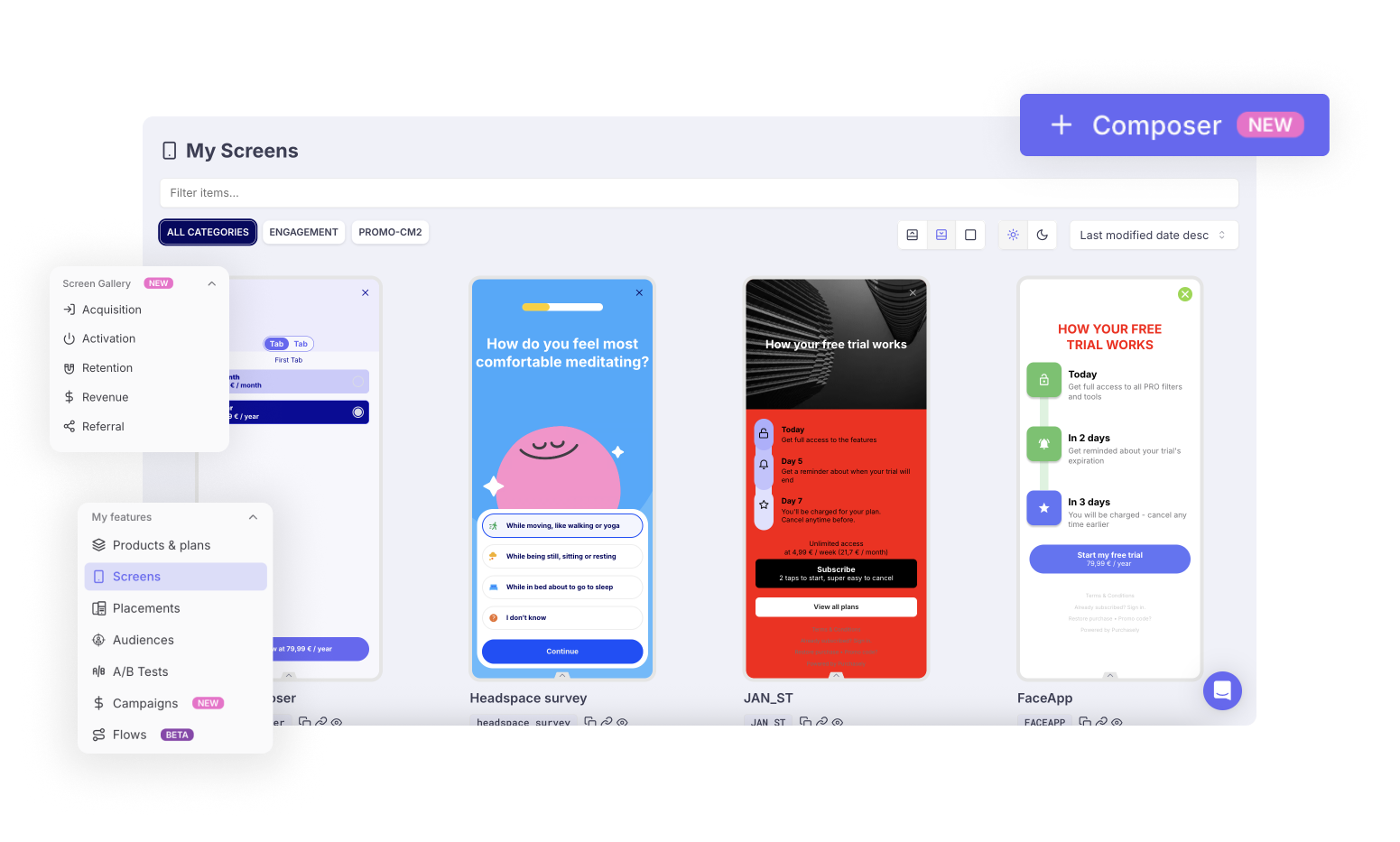
This flexibility helps teams move faster, test sooner, and align the experience more closely with what users need in the moment.
Getting started with adaptive experiences
Here’s a practical approach we’ve used across wellness, education, and productivity apps:
1. Map user intent
Start by collecting lightweight signals. Onboarding questions, behavioural patterns, or survey insights (like MaxDiff) help identify what matters most to each user.
2. Define adaptive moments
Pinpoint the moments in your journey that benefit most from personalisation, usually onboarding, paywall exposure, and re-engagement flows.
3. Build out flexible components
Use your CMS, in-app messaging tool, or something like Purchasely to create screens that respond to user context. This is where the freeform approach pays off, giving you space to experiment and adapt quickly.
4. Measure and refine
Track how different experiences perform, not just overall, but within key cohorts. Which version increases ARPU for drop-offs? Which one boosts trial conversion for committed users?
Personalisation is no longer optional
As acquisition becomes harder and more expensive, the best growth levers are found inside your product.
Hyper-personalisation is one of those levers.
It’s not a silver bullet, but when used thoughtfully, grounded in real user insights and supported by flexible toolin, it can be the difference between a user churning after one session and one who sticks around, subscribes, and tells their friends.
And you don’t need to rebuild your entire app to get there. Just start with a few key moments, make them dynamic, and build from there.

App Stories by
Monthly interviews with the teams behind products like Wattpad, The BBC, Busuu about their app strategy, straight to your inbox
By subscribing, you agree to receive emails from Purchasely
Keep reading
Mobile App Personalization Guide (With Examples)
Real personalization is not a first name in a push notification. Here is how the best apps adapt the whole experience in real time, and how to do it without the usual myths.

How L'Équipe's App Became Its Flagship Product
Twenty years, media chased print then web. Mobile was an afterthought. But is a daily app reader any less loyal than a newsstand regular?
10 Best In-App Analytics Tools 2023
The analytics market is crowded and every tool claims to be essential. Here are the ten that actually earn their place in an app growth stack, and what each one does best.